Custom method monitoring
Custom method monitoring, it is an extension function of the Java agent. You can use the xml configuration file or Tingyun Server report to monitor on a class of a method. When the method of this class is called, Java agent will do performance data search in the method, the default captured content will be displayed on the task page in the server report background.
When to use custom monitoring? In the customer’s code, there may be a few methods and interfaces with a lot or more importance. There is also a case where some methods may be less likely to be captured if the Java agent supporting some components or frameworks is not particularly complete. At this time, you can consider configuring custom monitoring. After configure the custom monitoring, you can see the method-related performance statistics and charts on the Server report side.
Use introduction
There are two ways to use custom method monitoring, the first is to configure in the Server report, the second is to manually configure the custom monitoring rules in the agent directory extension directory in the xml file.
Here only introduce the first method that configuring in the report, for the second method please see Java installation use
Report side configuration method introduce
To add a rule, first login to the Server report, go to the settings page where you want to configure the custom monitoring application, select Custom monitoring, and click the Add button.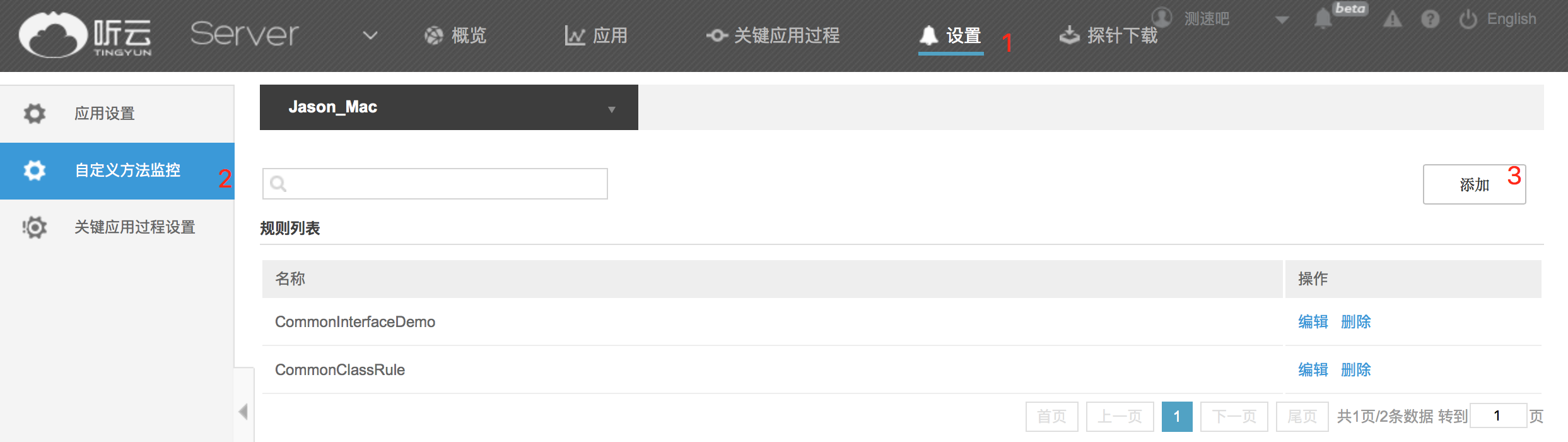
In the rule edit page
1)Method in class
In the real scenario, a method’s time-consuming /performance consumption is large, and a method is used too much, R & D personnel may focus on these methods. After the method in class is configured, the data such as the calling frequency, the execution time will be collected
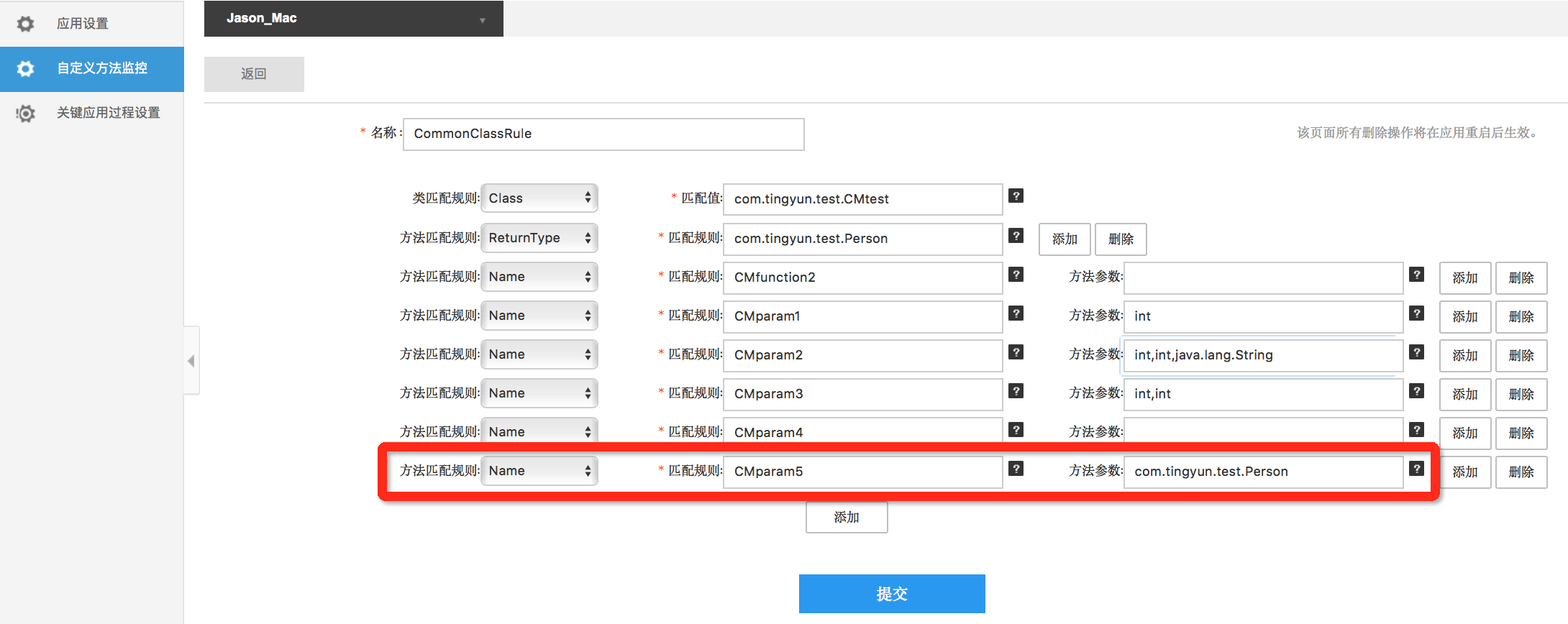
1.1 Monitor all methods that return a value the Person object
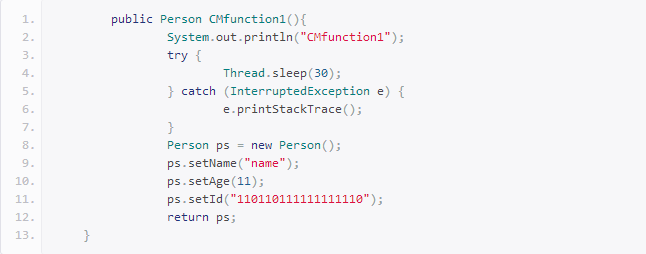
Enter the class name in the configuration value, select ReturnType for the method matching rules, enter the package name of the Person + class name for matching rules:
com.tingyun.test.Person
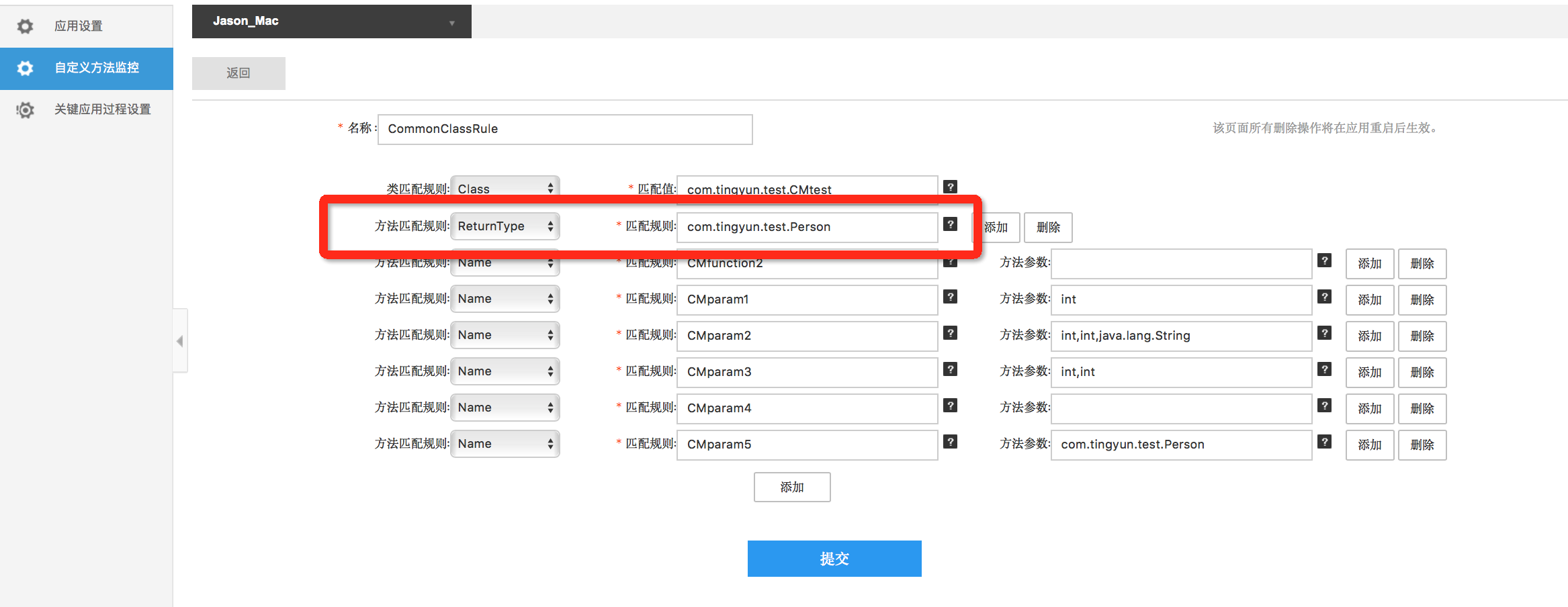
1.2 Monitor the method without parameters
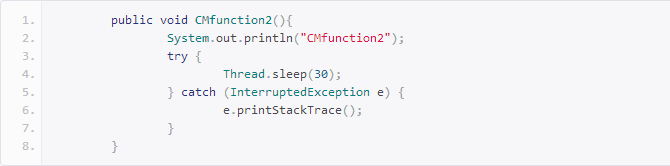
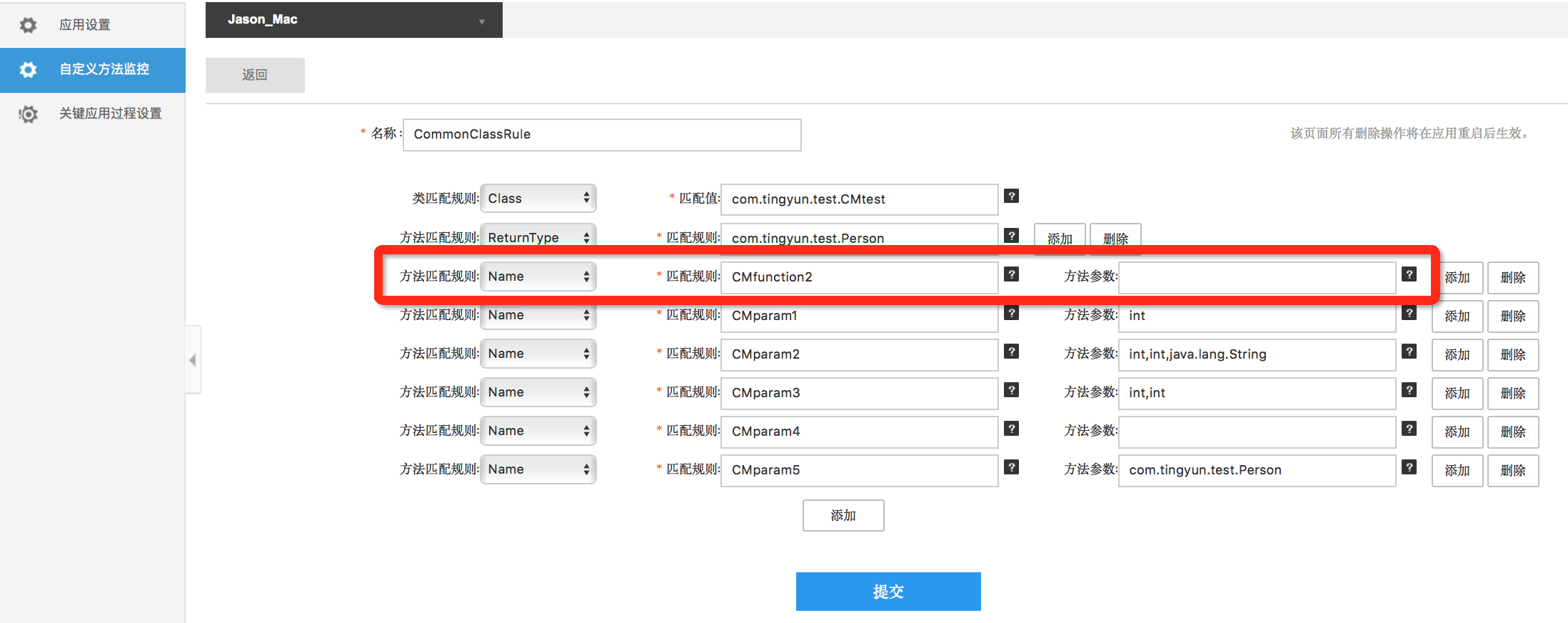
Enter the class name in the configuration value, selection Name for method matching rule, input method name CMfunction2 for matching rules, the method parameter is not entered
1.3 Monitor the method with one parameter
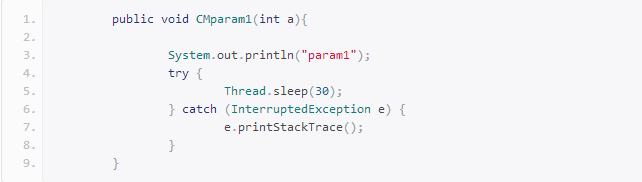
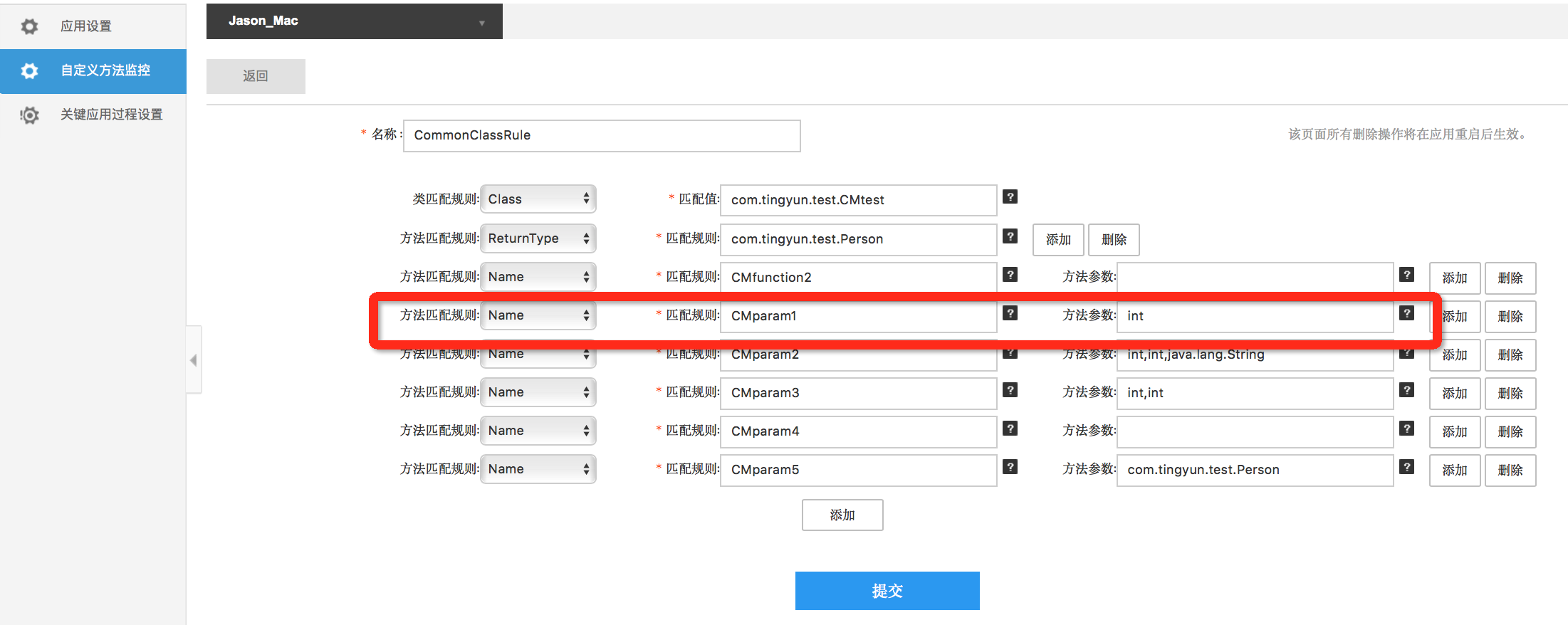
Enter the class name in the configuration value, selection Name for method matching rule, input method name CMparam1 for matching rules, method parameter input parameter type int
1.4 Monitor the method with two parameters
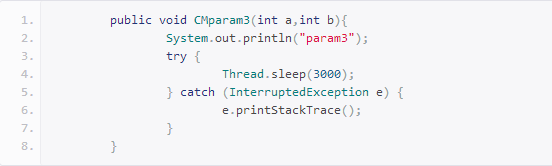
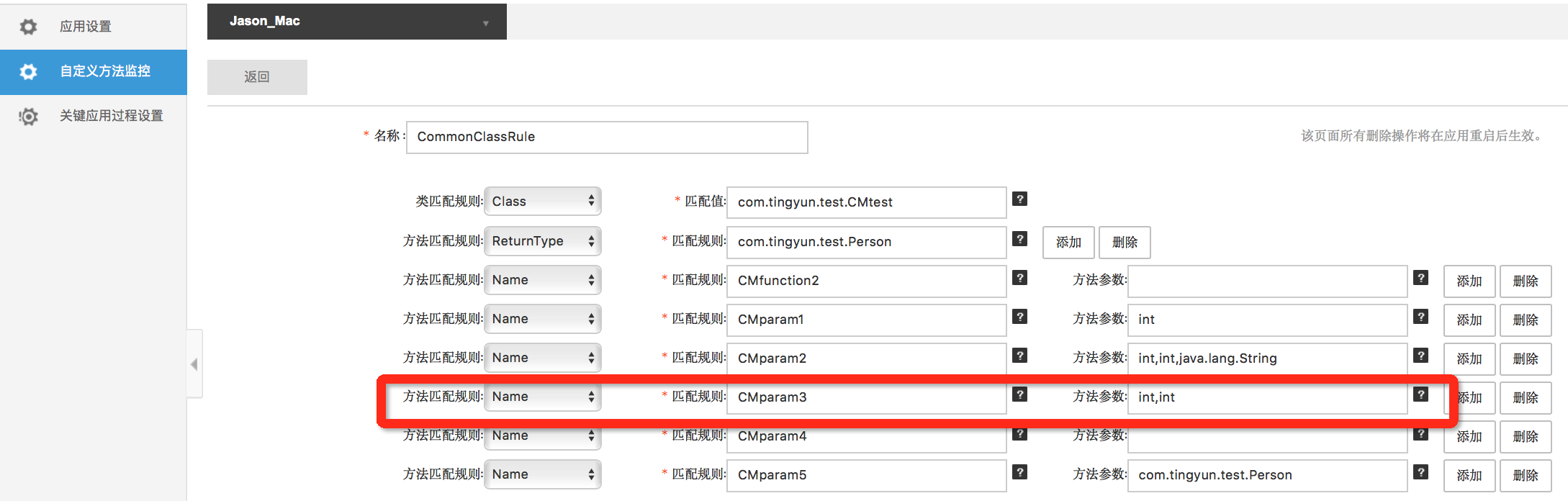
Enter the class name in the configuration value, selection Name for method matching rule, input method name CMparam3 for matching rules, method parameter input parameter type int, int
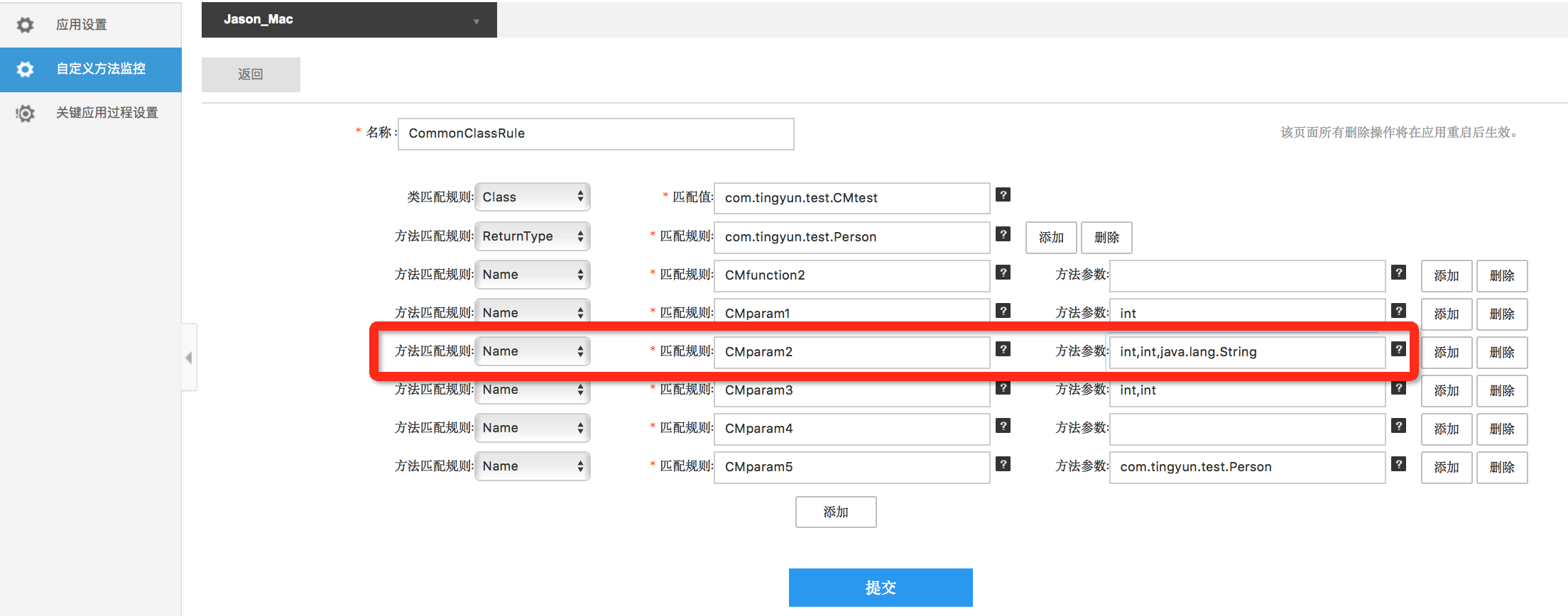
1.5 Monitor the method with three parameters(Similarly to above)
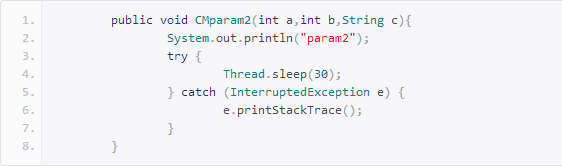
Enter the class name in the configuration value, selection Name for method matching rule, input method name CMparam2 for matching rules, method parameter input parameter type int,int,java.lang.String
1.6 Monitor the parameters of the class object method
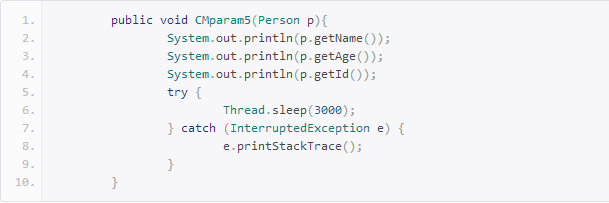
Enter the class name in the configuration value, selection Name for method matching rule, input method name CMparam5 for matching rules, method parameter input parameter type com.tingyun.test.Person
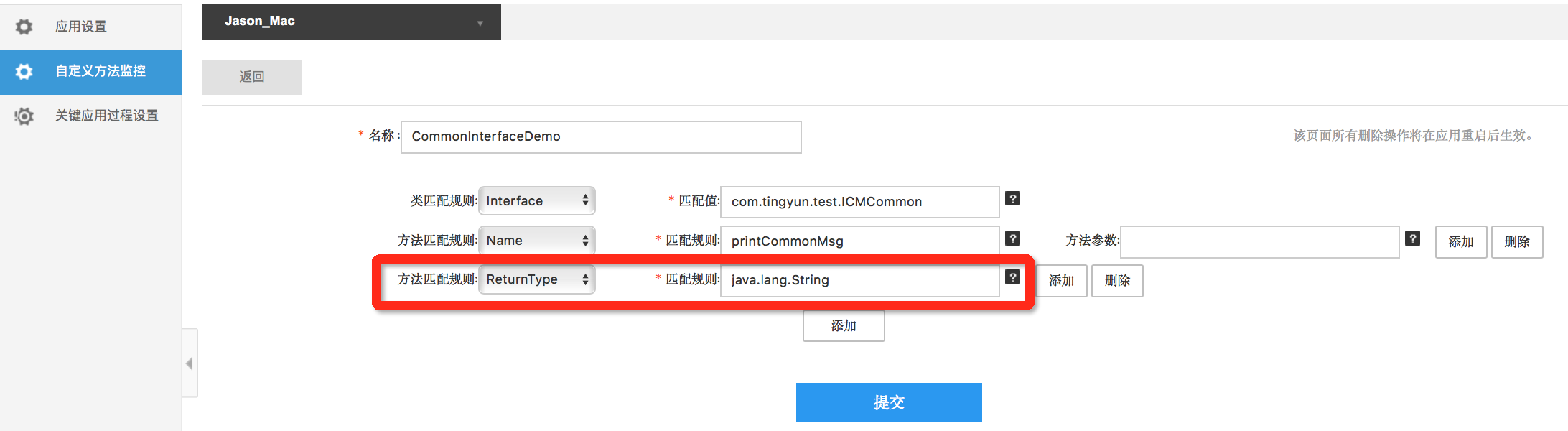
2)Implement/inherit interface methods
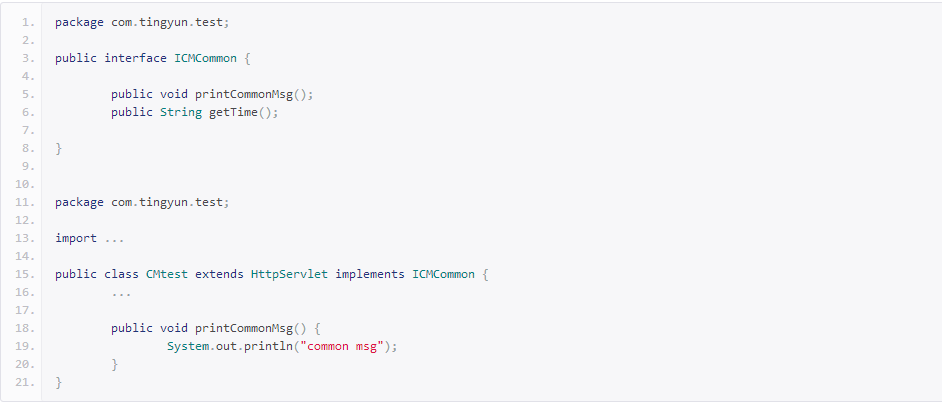
In the real scenario, many businesses may inherit or achieve some methods of common interface. If these methods of common interfaces are very important and used very frequently, so if you need to configure separate custom monitoring rule for each subclass/implementation class that uses sub-methods, it will be mazy. In order to simplify the configuration process, Java agent supports to configure the method of interface. After configuration, it will be monitored as long as achieving the interface method.
2.1 In accordance with the method name to capture (if there is a pass, you can not configure the parameters)
Enter the class name in the configuration value, selection Name for method matching rule, input method name printCommonMsg for matching rules, the method parameter is not entered
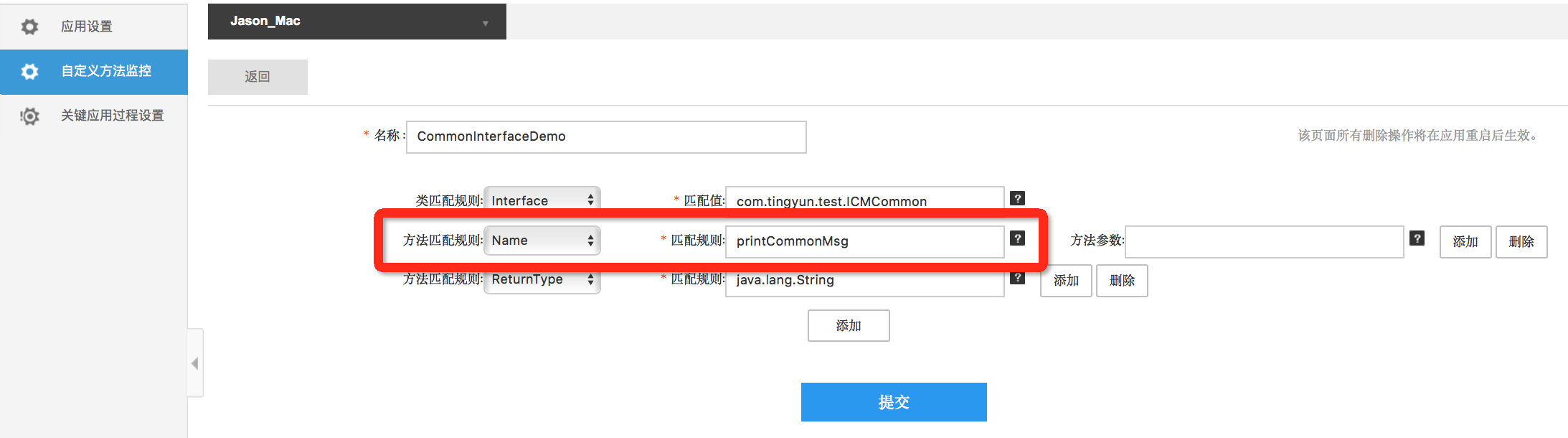
2.2 Crawl by type of return value
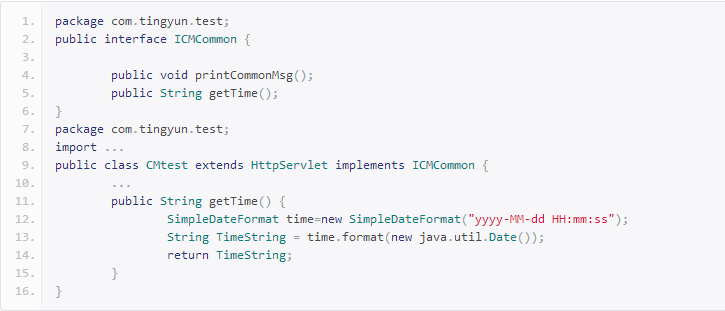
Enter the class name in the configuration value, selection ReturnType for method matching rule, input return value java.lang.String for matching rules
3)Report Demo
After the configuration rules are completed on the report, you need to click the blue submit button below the configuration page. After 1 to 3 minutes, the configuration takes effect. It uses the browser to access the Servlet. And then about 5 minutes, you can see the method performance data that configuration captured on the report.
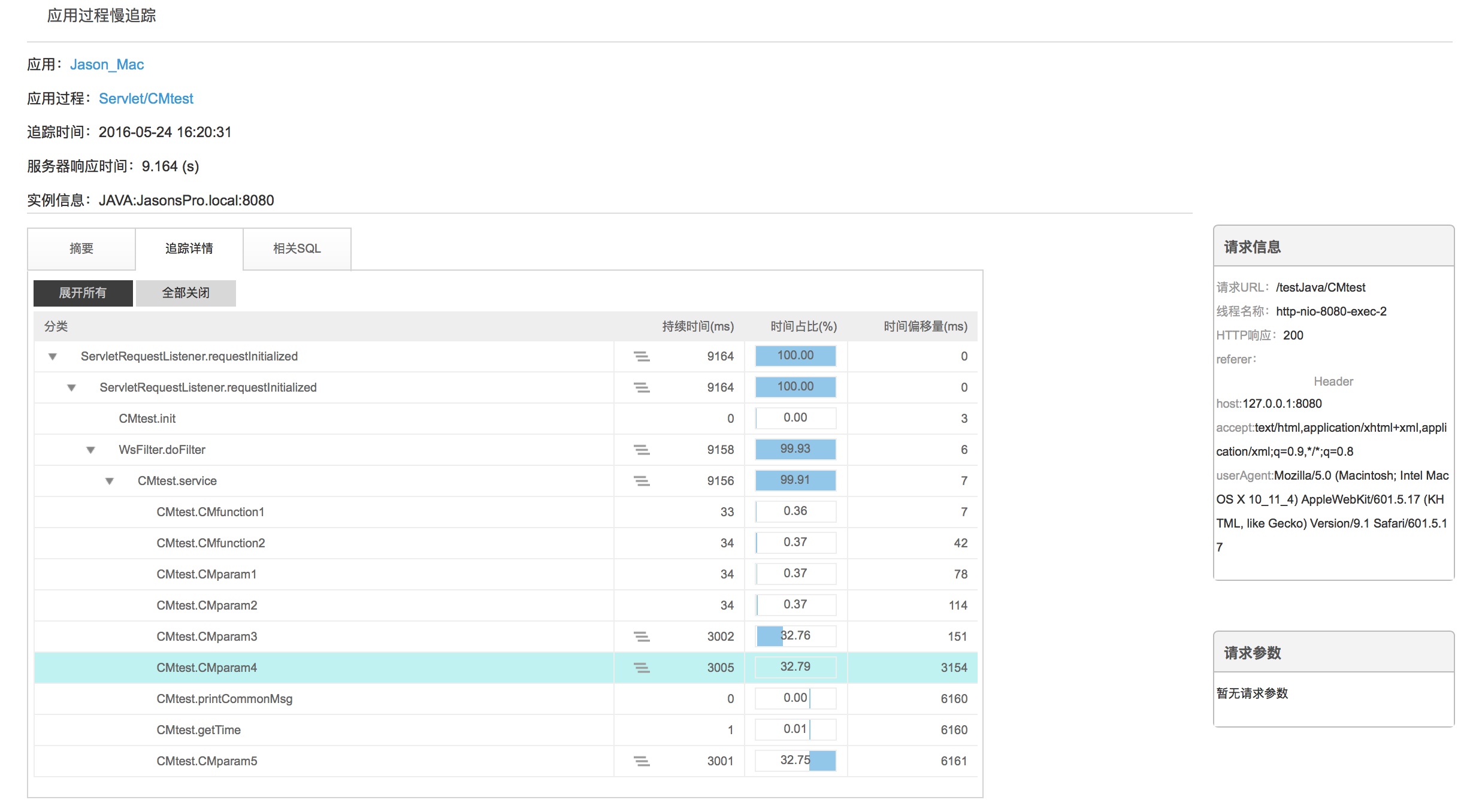
3.1 Web application process - business servle - application process breakdown
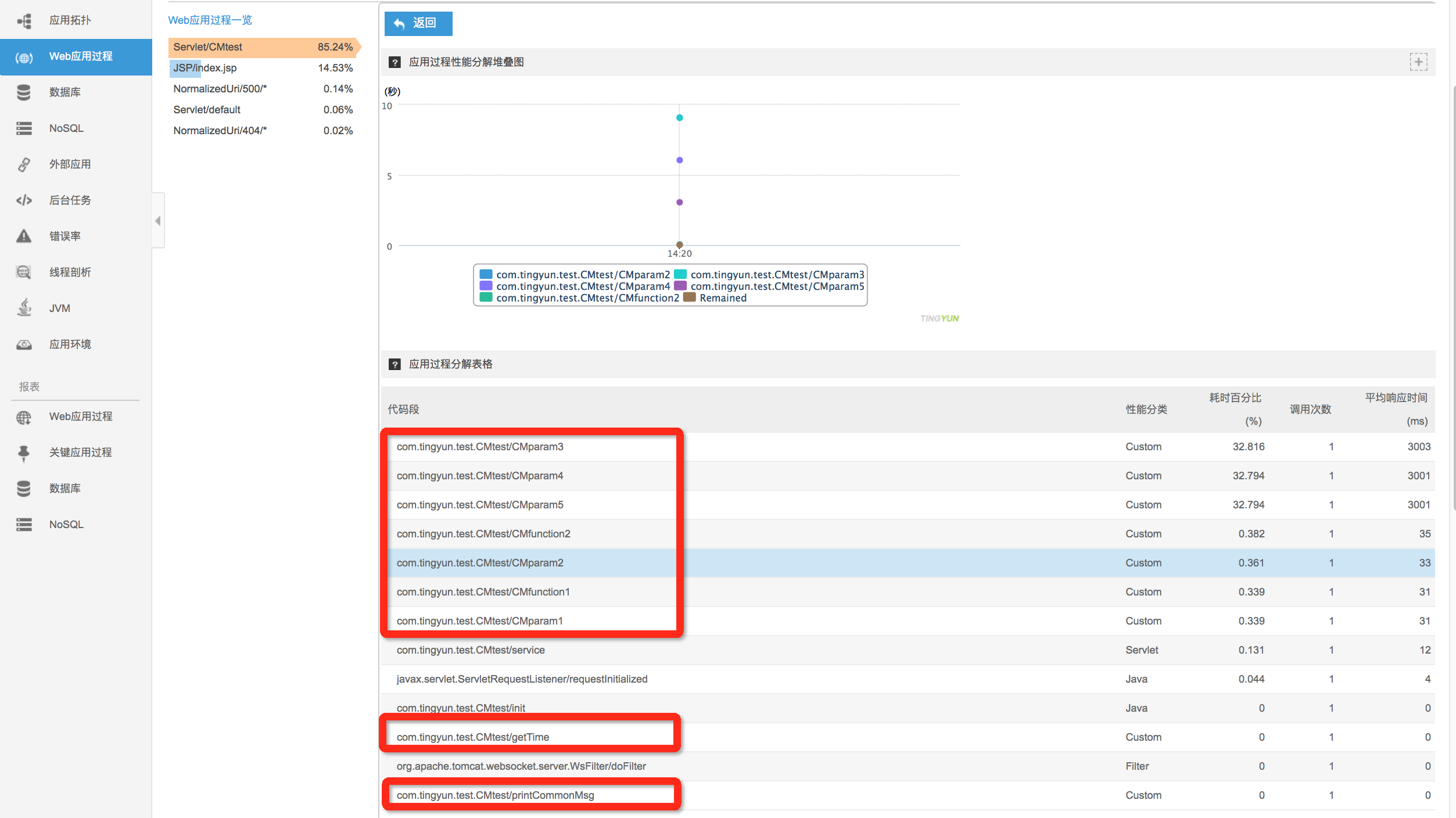
3.2 Web application process - business servlet - slow application process tracing list - Slow application process tracing